Help
Trouble pairing
The device chooser opens, scans, and finds nothing. Almost always it is one of the following, in roughly this order.
On a Mac, these three first — in this order.
-
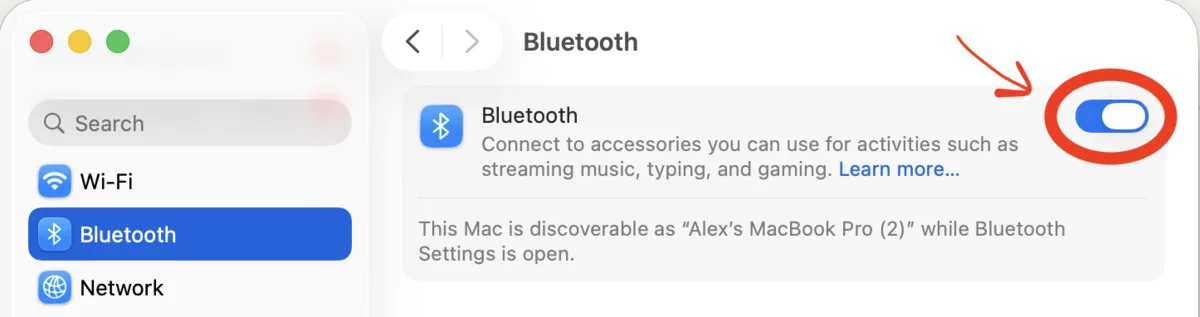
Is Bluetooth switched on?
System Settings → Bluetooth. Worth two seconds before anything else: the rest of this page assumes a radio that is running.
-
Switch your browser's permission off and on.
System Settings → Privacy & Security → Bluetooth, find your browser, and turn it off and then back on again. Reload this page and scan.
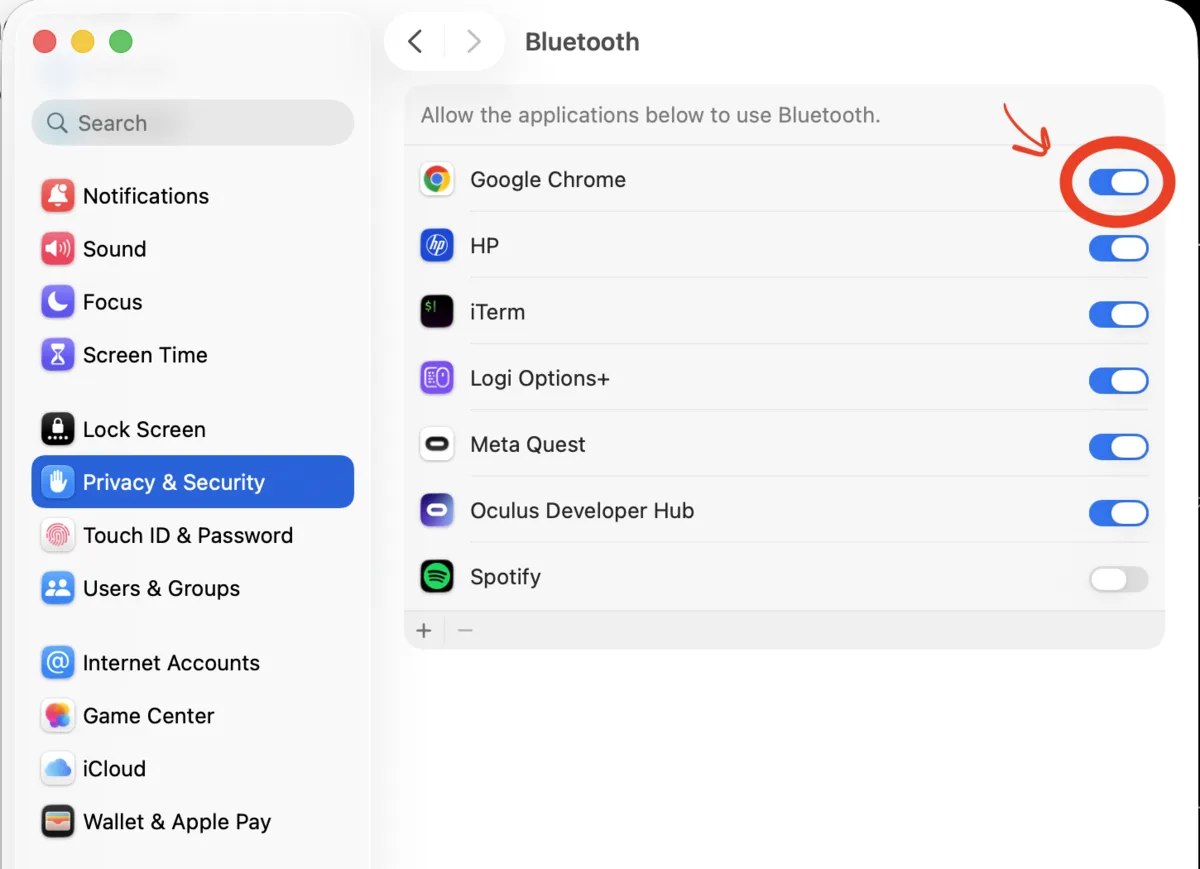
Off, then on. The switch looking correct is not the same as it working. Toggling matters more than checking. The switch can read as on while the browser has quietly lost the permission behind it, so a glance at this screen tells you nothing — only turning it off and on again does.
Updating your browser is what usually causes it. The update changes the app, macOS treats it as something it has not granted anything to, and the switch stays on while the browser gets nothing. There is no way for us to detect this from inside the page: the browser reports Bluetooth as perfectly available, then finds nothing, for ever. If pairing worked yesterday and not today, this is almost certainly why.
-
Is the trainer plugged in and awake?
Most smart trainers need mains power, and a good many will hold a pairing on their own battery while refusing to do anything else — so the lights are a poor guide. Check the plug, then turn the cranks a few times: trainers and power meters sleep to save the battery and advertise nothing at all until something moves. A strap with a flat coin cell scans as absent rather than as broken.
Something else may be holding the device
A trainer, power meter or strap talks to exactly one thing at a time, and a connected device stops advertising itself entirely — so nothing else can see it, however healthy your Bluetooth is.
Closing the other app is often not enough. Training apps ask the phone to reconnect automatically, and on iOS that request is held by the operating system rather than by the app: the moment your trainer wakes up, the phone takes it, whether the app is open, backgrounded or closed.
Turn Bluetooth off in Settings, not in Control Center. Since iOS 11 the Control Center toggle does not switch the radio off — it disconnects a few things and lets apps reconnect, which is exactly what will happen. Use Settings → Bluetooth, then scan again here. Watches and head units can do the same thing.
Your browser has to support it
Pairing uses Web Bluetooth, which works in Chrome and Edge on Windows, macOS, Linux and ChromeOS, and Chrome on Android.
It does not work in Safari or Firefox, and it does not work in any browser on an iPhone or iPad — Apple requires every iOS browser to use Safari's engine, so installing Chrome there does not help. Nothing we can write will change that one; it needs a computer or an Android phone.
Windows and Linux
Windows
Check Settings → Bluetooth & devices is on. You need Windows 10 version 1803 or newer.
Linux
Web Bluetooth needs BlueZ 5.41 or newer, and your user has to be able to reach the adapter.
Do not pair the trainer in your system settings
This one is counterintuitive and catches plenty of people. Most cycling devices should not be paired in your computer's own Bluetooth settings — doing that makes your operating system hold the connection, which is the same problem as your phone holding it.
If your trainer is listed there, remove it, and connect from the app instead. Heart rate straps are the usual exception and are generally happy either way.
The chooser only lists cycling devices
We filter the list to trainers, power meters, speed and cadence sensors and heart rate straps, so your headphones and your keyboard stay out of it. If a device you expect is missing while others appear, it is probably advertising something we do not recognize — tell us and we will add it.
Try not to reload while you are riding
Not a fault, but worth knowing. A trainer that drops out mid-ride reconnects on its own. A page reload is different — the browser throws away the permission handle, and the only API that could hand it back is switched off by default in Chrome. So a refresh means picking your trainer from the chooser again.
We will ask before letting you leave a ride with a trainer connected. If you do end up back at the chooser, that is why.
Still stuck?
Bring the make and model to the Discord. Trainer firmware varies more than it should, and a device that needs a quirk is worth us knowing about rather than you working around.